博客新文——认识三个智能体:Z1、Reach 和 Ana
注册
注册
Z1
创意设计与建站
图片与视频邮件弹窗与表单AI 建站落地页即将推出
Mogiu达人与联盟营销
全部产品
店铺搭建达人营销付费广告全部服务
价格
联系我们

故障排除

/

1 min read

如何获取 Shopify 协作者请求代码?

如何获取 Shopify 协作者请求代码?

Introduction

If you're a Shopify merchant looking to give developers or agency partners access to your store, you'll need to generate a collaborator request code. This guide will show you how.

Steps

  1. Log into Your Shopify Admin
    Visit Shopify's login page and sign in.

  2. Go to 'Settings'
    Click on the 'Settings' icon in your Shopify admin dashboard.

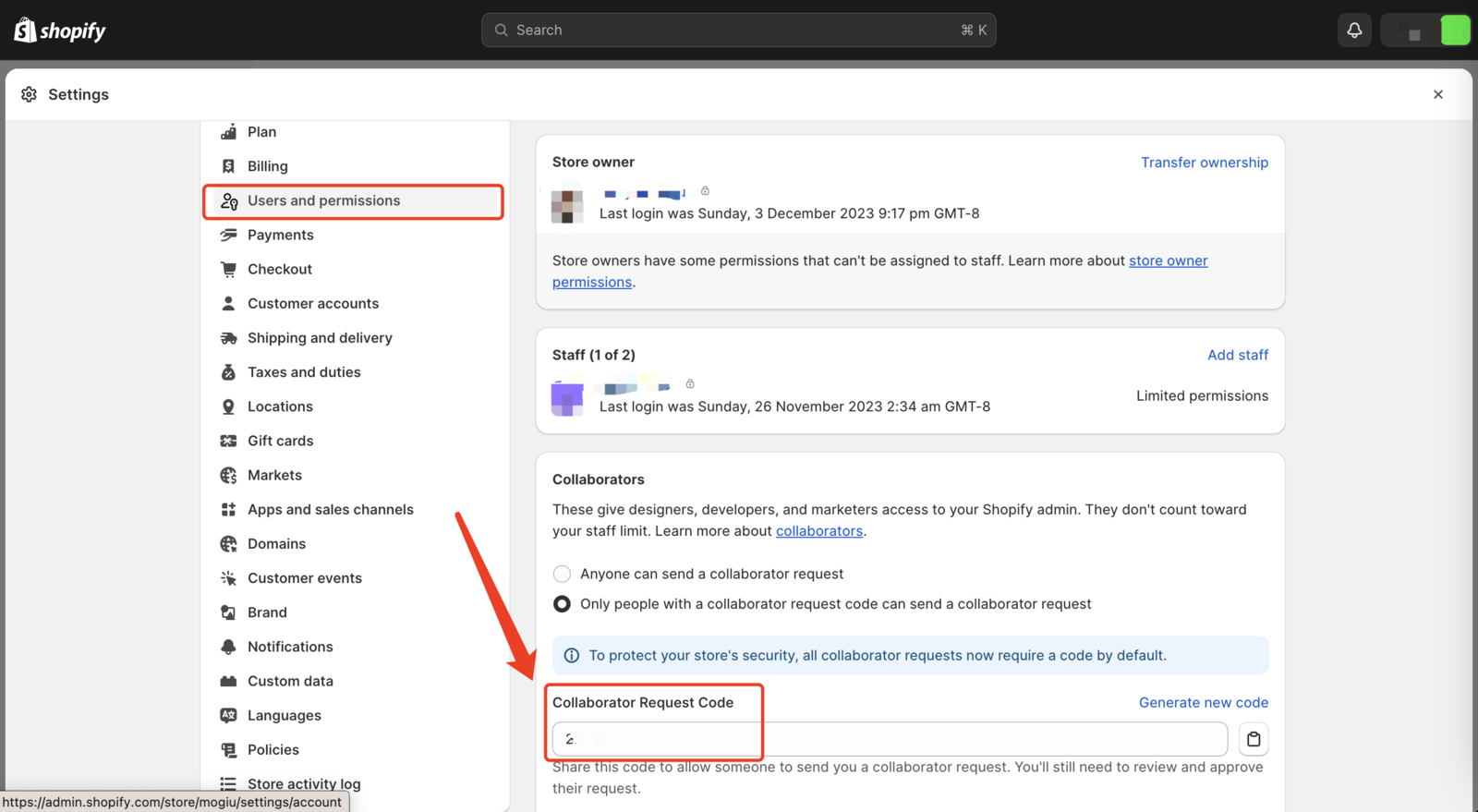
  3. Select 'Users and Permissions'
    Find this option in the 'Settings' menu.

  4. Navigate to the 'Collaborators' Section
    Scroll to the 'Collaborators' section in 'Users and Permissions'.

  5. Find the Collaborator Request Code
    Your unique collaborator request code will be displayed here.

  6. Share the Code
    Copy and securely share this code with your collaborator.

Conclusion

This code allows safe, limited access to your Shopify admin, ensuring security while facilitating collaboration.

上一篇

常见问题与解决方案

下一篇

"My pixel isn't tracking" checklist