Troubleshooting
/
1 min read
Why GTM preview is not connected?
Why GTM preview is not connected?
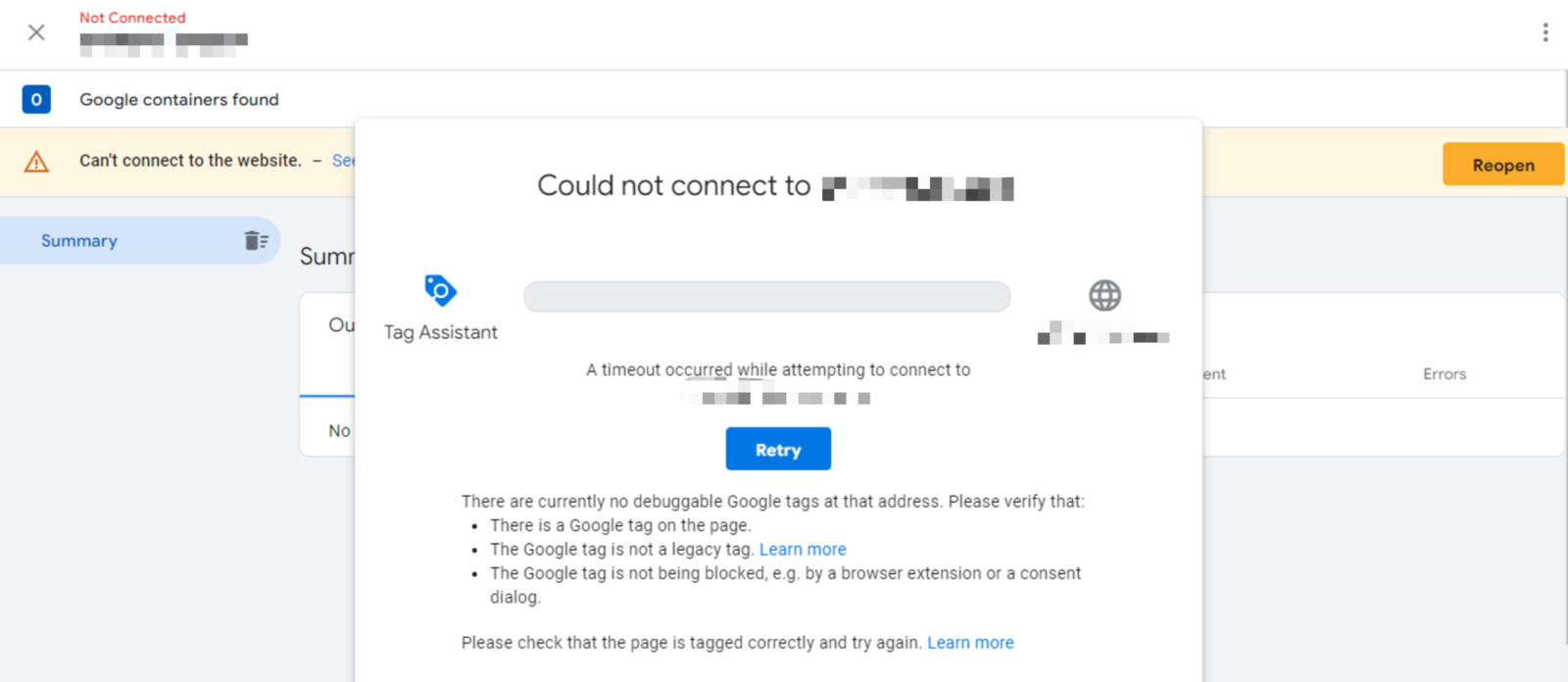
When you are facing the issue that GTM preview mode is unconnected, like the screenshot below:
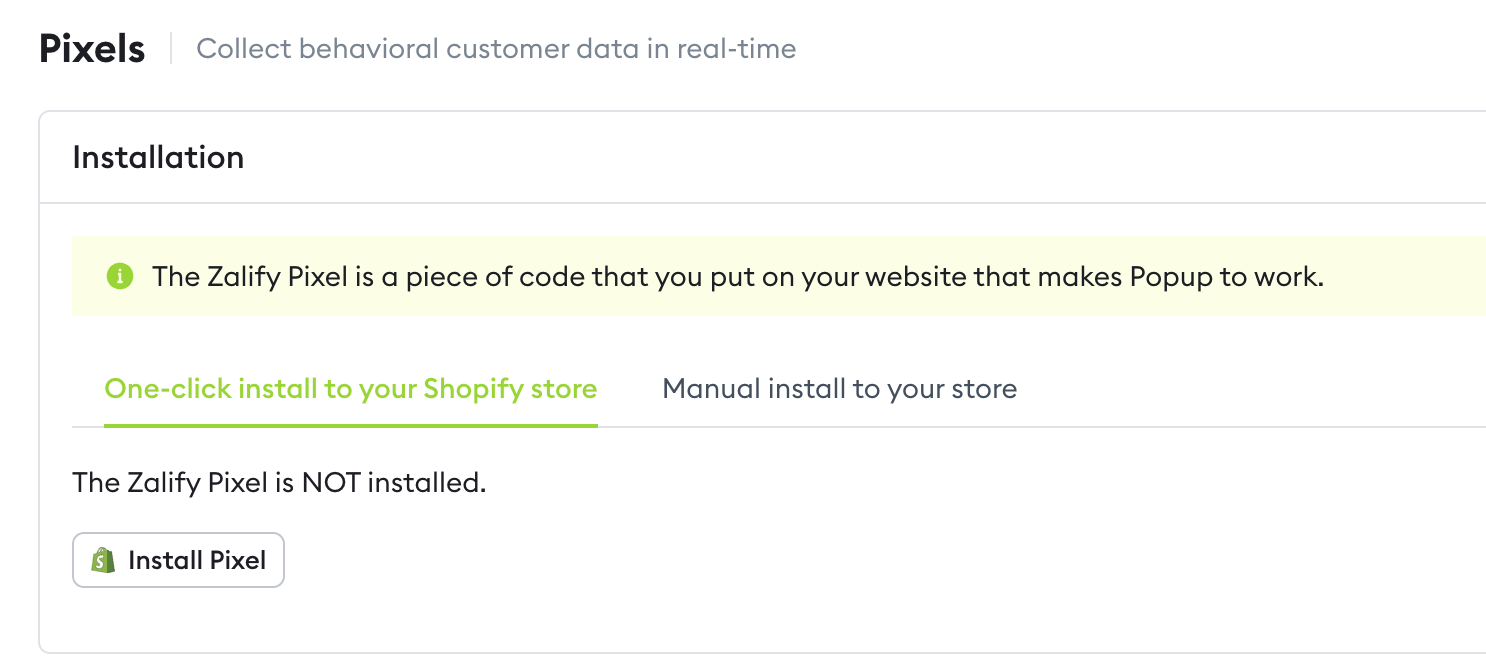
- Check if Zalify Pixels is installed
- Check the GTM source code is normally loaded
Open a new tab and enter https://www.googletagmanager.com/gtm.js?id=GTM-PRCT47D for testing purposes.
If you can see the code loaded, then you do not have this issue.
Else, you might be seeing an error page saying that net::ERR_SSL_PROTOCOL_ERROR, please check your network or firewall.
- Check your GTM connector
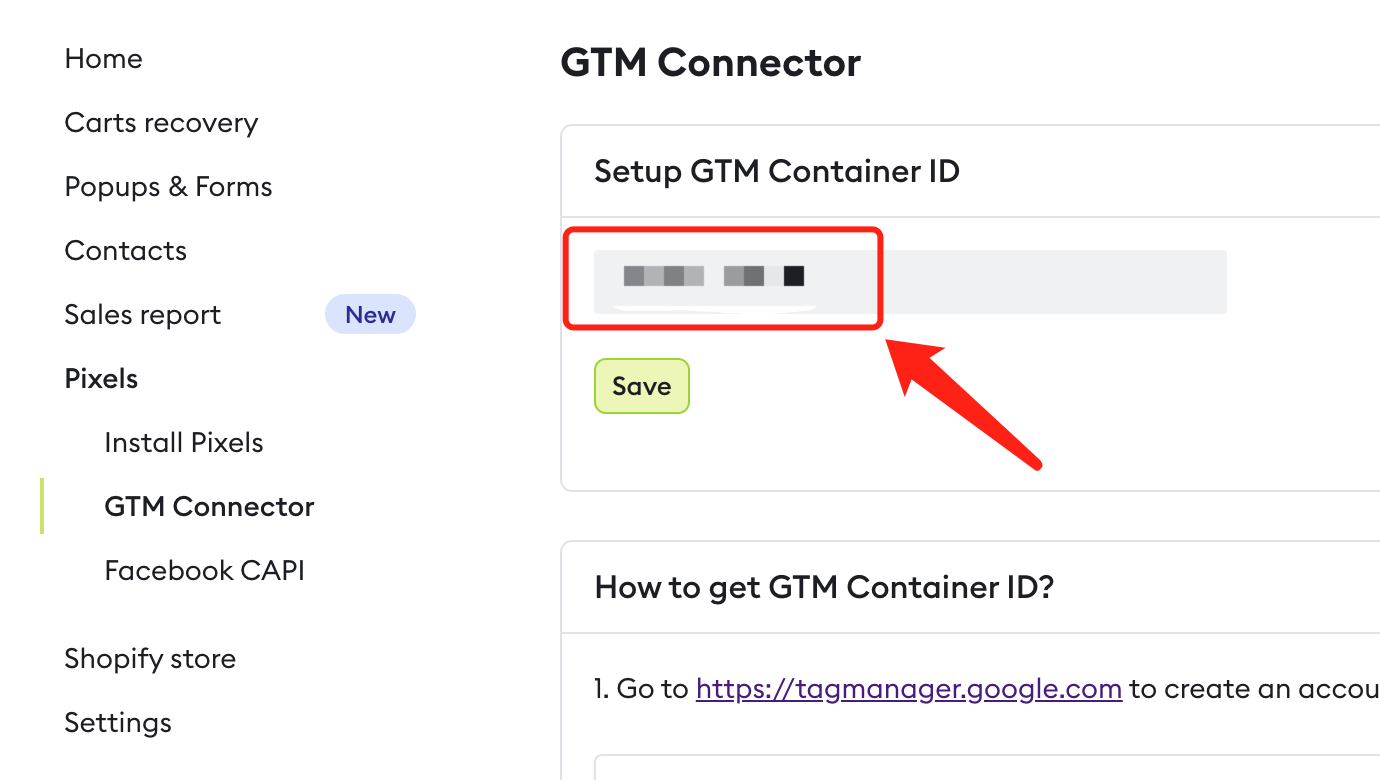
-
Check the Shopify Store URL is correctly entered in GTM preview mode.
-
Clean your Chrome browsing data
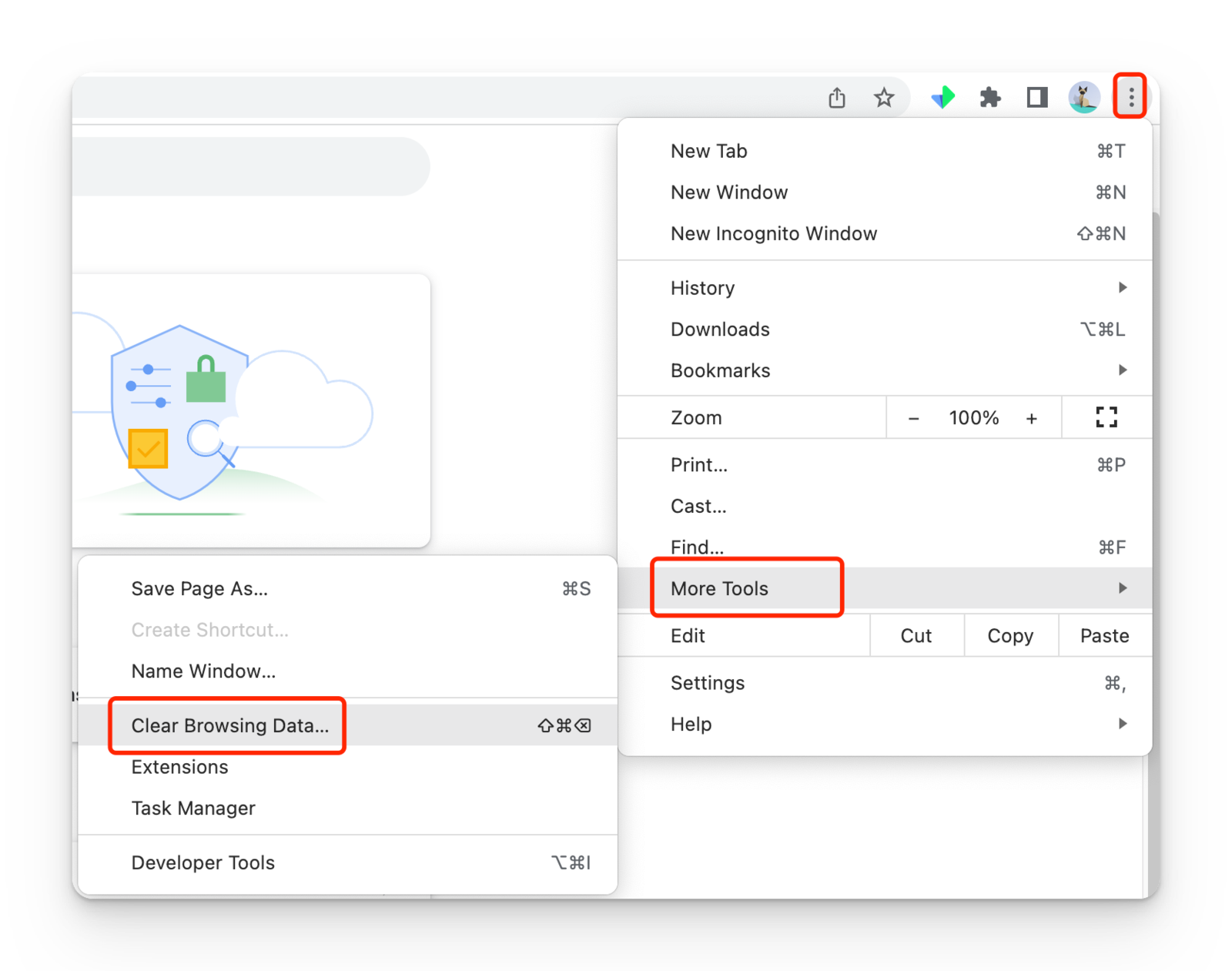
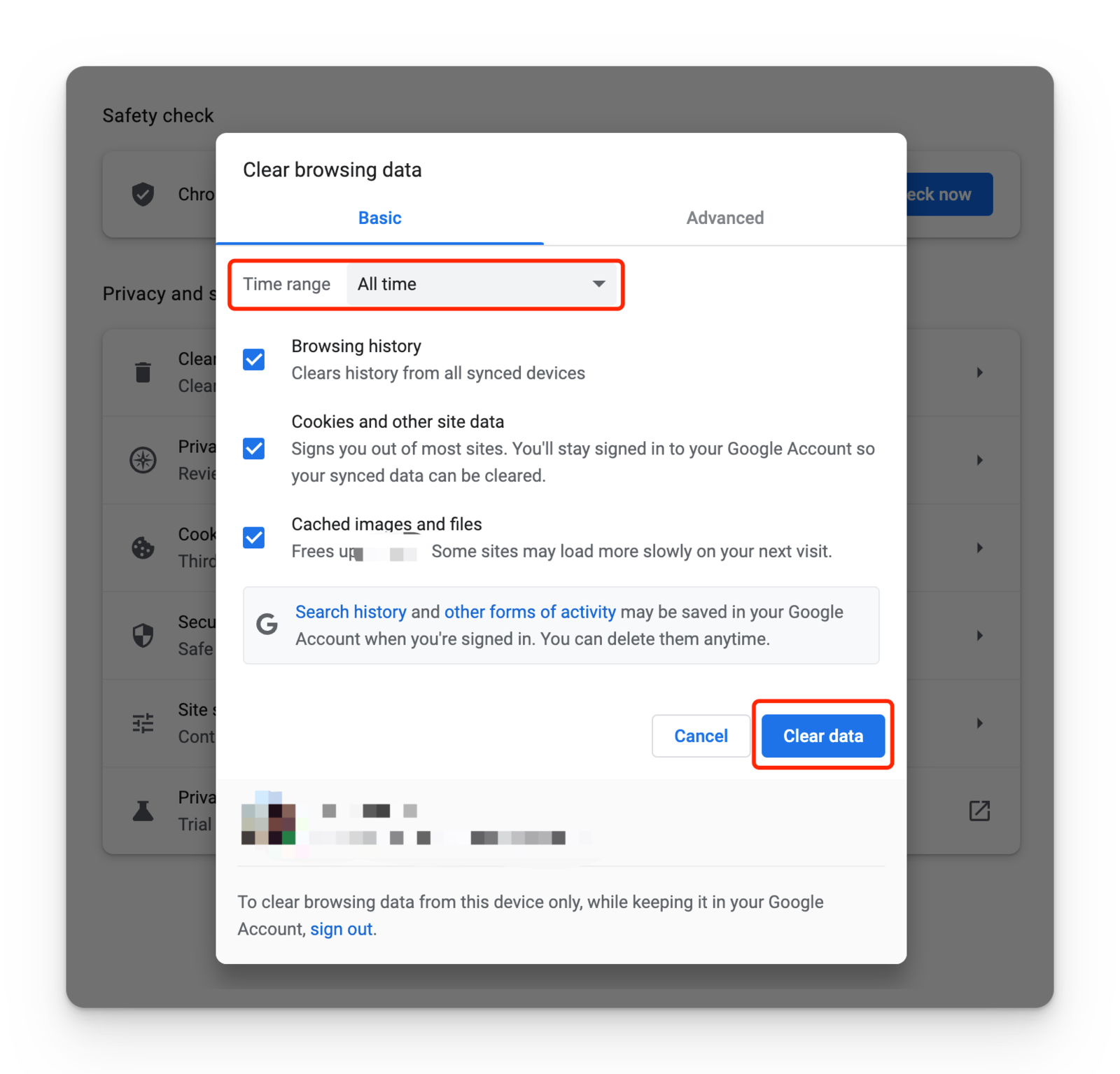
Then close the browser and re-open.