Zalifyピクセル
/
3 min read
Set Up TikTok Pixel and Events API
Create a web Pixel in TikTok Events Manager, copy Pixel ID and Access Token, then enter them in Zalify.
Zalify supports TikTok Pixel (browser) together with the Events API (server-side) for standard e-commerce events. Create a Website Pixel in TikTok Events Manager, copy your Pixel ID and Events API access token, then paste them into Zalify.
1. Open Events Manager
Sign in and open:
Start the flow to create a new website Pixel (or connect a website data source). If you already have a Pixel, open its settings to find Pixel ID and Events API options.
2. Early wizard steps (reference screenshots)
Labels may be localized; choose the equivalent options in your language.
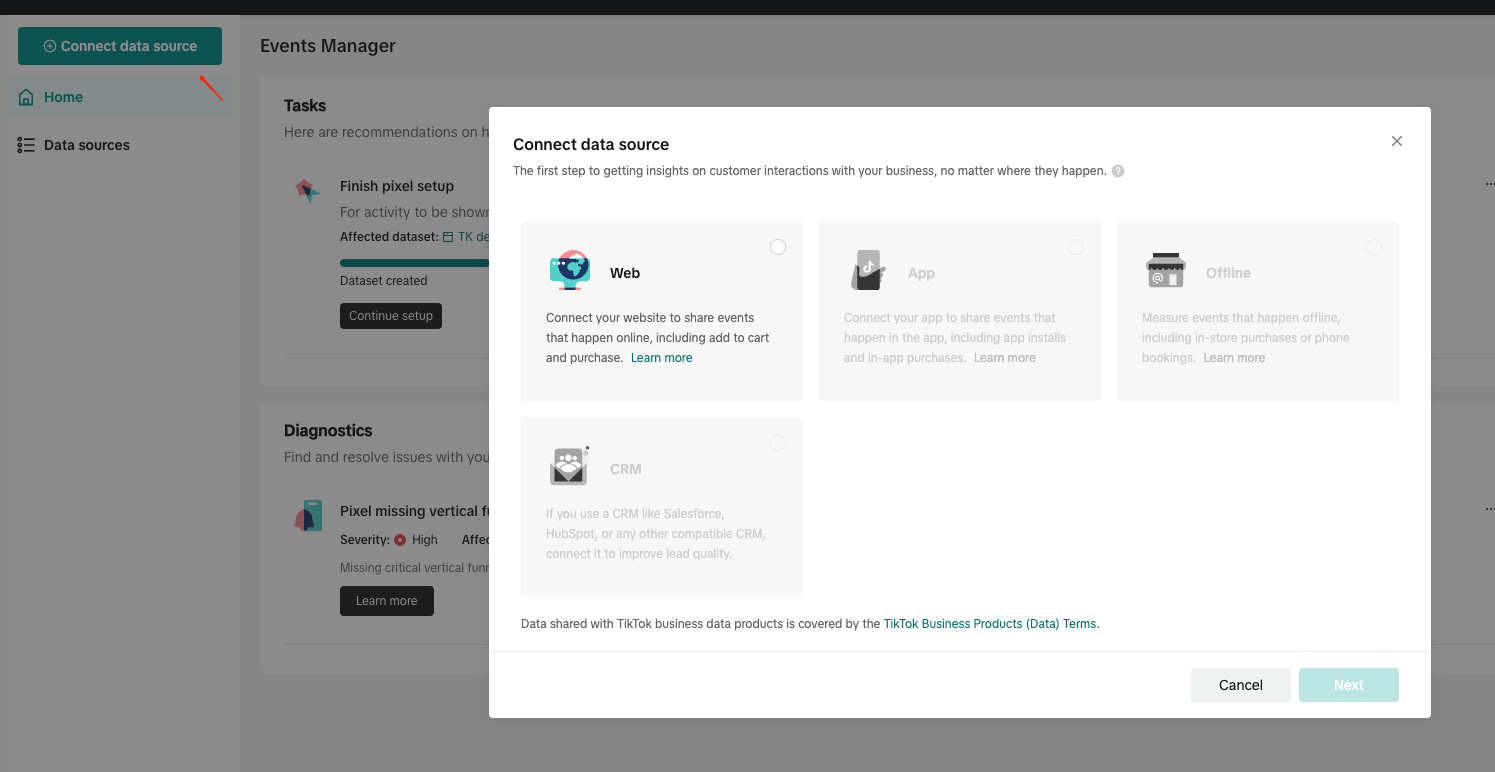
Connect your website / data source — Select Website as the source.
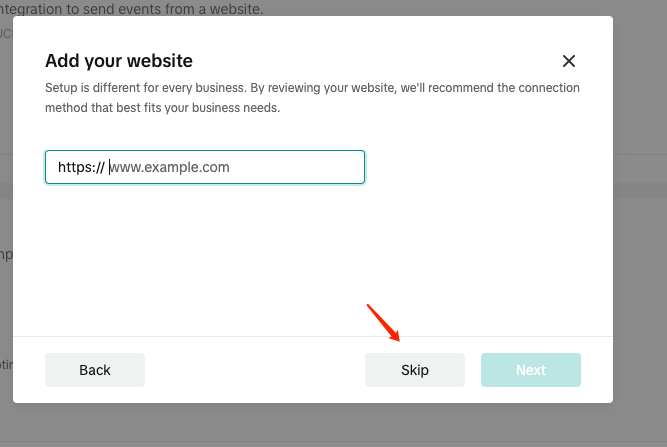
Add website URL — Enter your store URL (or use Skip when shown). Finish this step before the Manual setup step below.
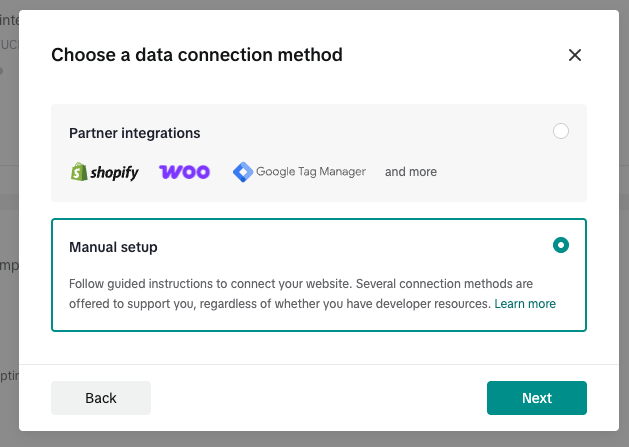
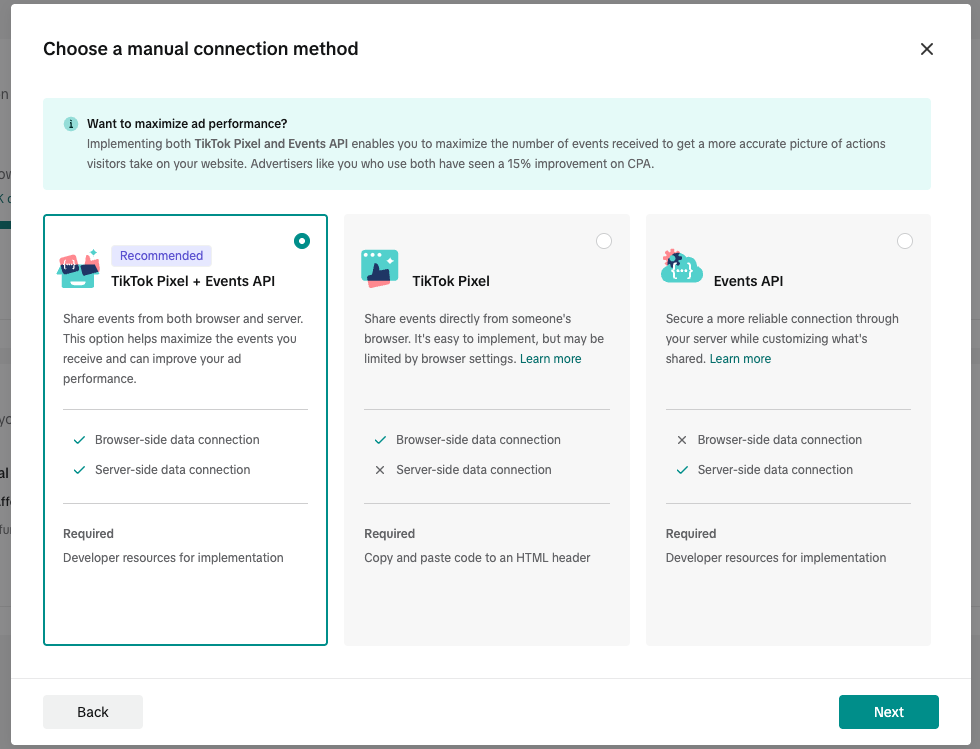
Manual setup — Then choose Manual setup so you can finish configuration in Zalify without pasting TikTok’s full snippet into your theme.
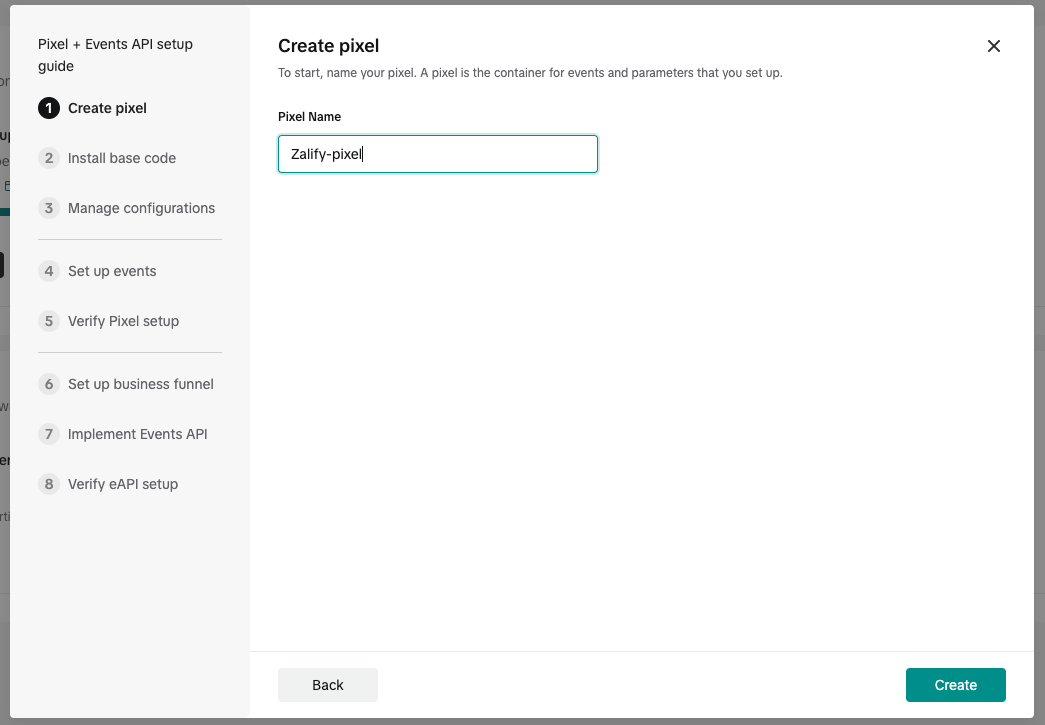
Pixel name — Enter a clear name (e.g. store name + TikTok), then continue.
3. Middle steps: keep clicking Next
After the screens above, the wizard may ask for industry, measurement options, etc. Unless you have a specific need, accept defaults or reasonable choices and keep clicking Next until you reach the page where you can see Pixel ID and Events API / Implement Events API.
Those intermediate screens are omitted here because Next is enough—Zalify handles firing and delivery; you do not need to install TikTok’s on-page snippet from this wizard.
4. Copy Pixel ID and generate Access Token
On the Pixel summary or settings screen:
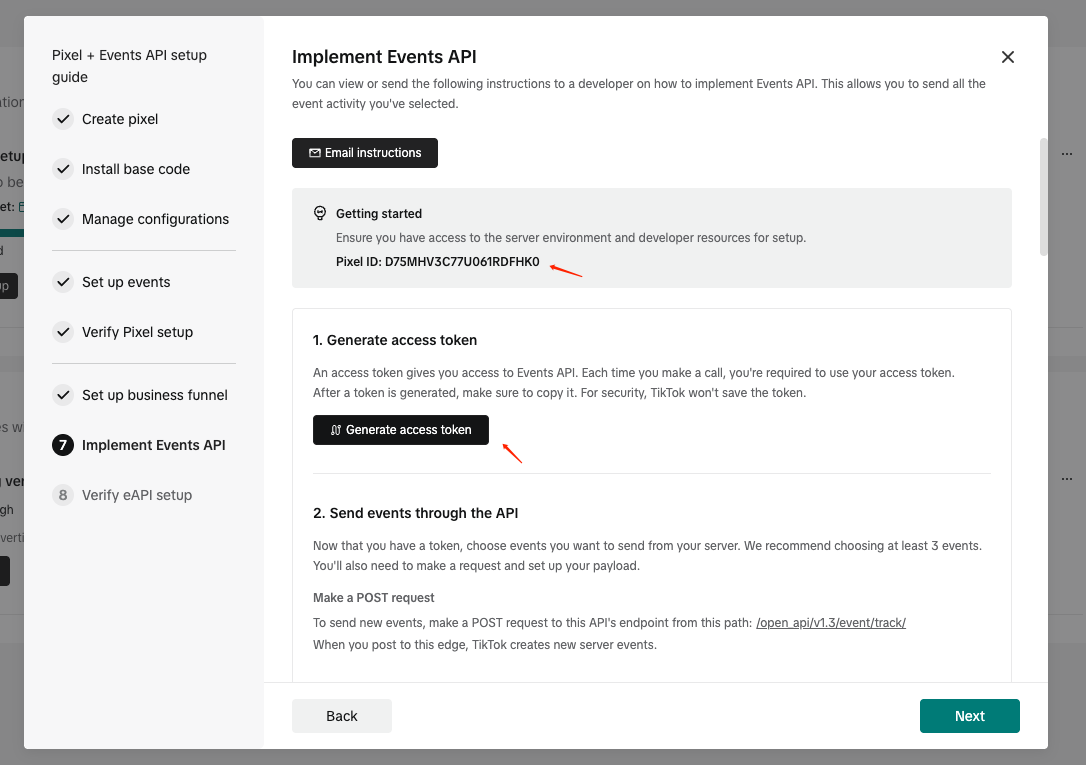
- Copy Pixel ID — Find the numeric Pixel ID and copy it.
- Generate Events API token — In the same area or under Settings, open Events API / Implement Events API, click Generate access token, and copy the token immediately. If TikTok shows it only once, store it safely; revoke and regenerate in Events Manager if you lose it.
5. Enter values in Zalify
- Open Zalify Dashboard → Pixels → TikTok (or add a TikTok Pixel).
- Paste Pixel ID.
- Paste Access Token (Events API).
- Save and turn Enabled on.
Use TikTok’s event testing tools or a test order to confirm events; reporting in TikTok can take time to update.