トラブルシューティング
/
1 min read
How to invite support to join GTM user management
How to invite support to join GTM user management
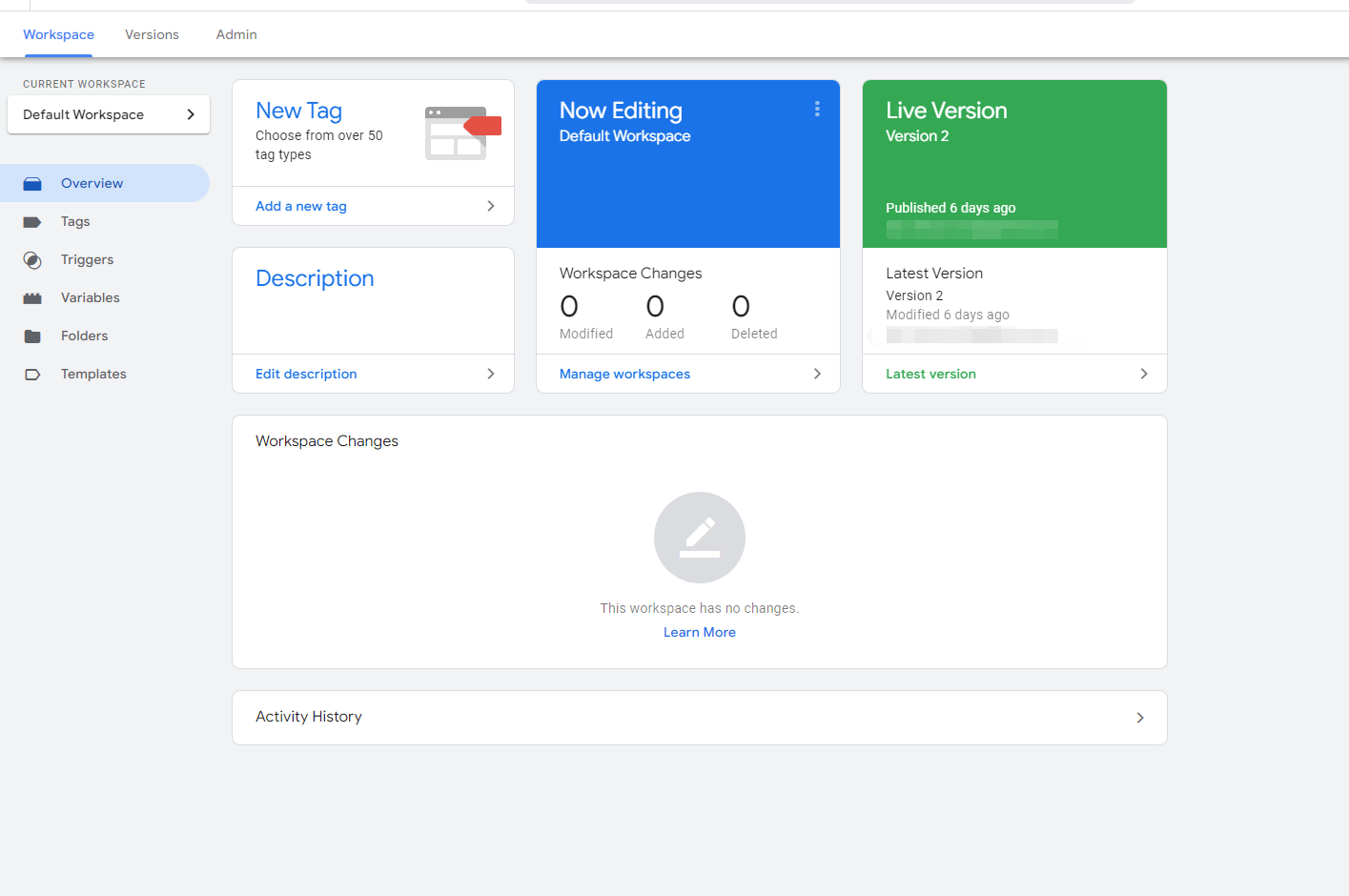
- Go to GTM website
- Click
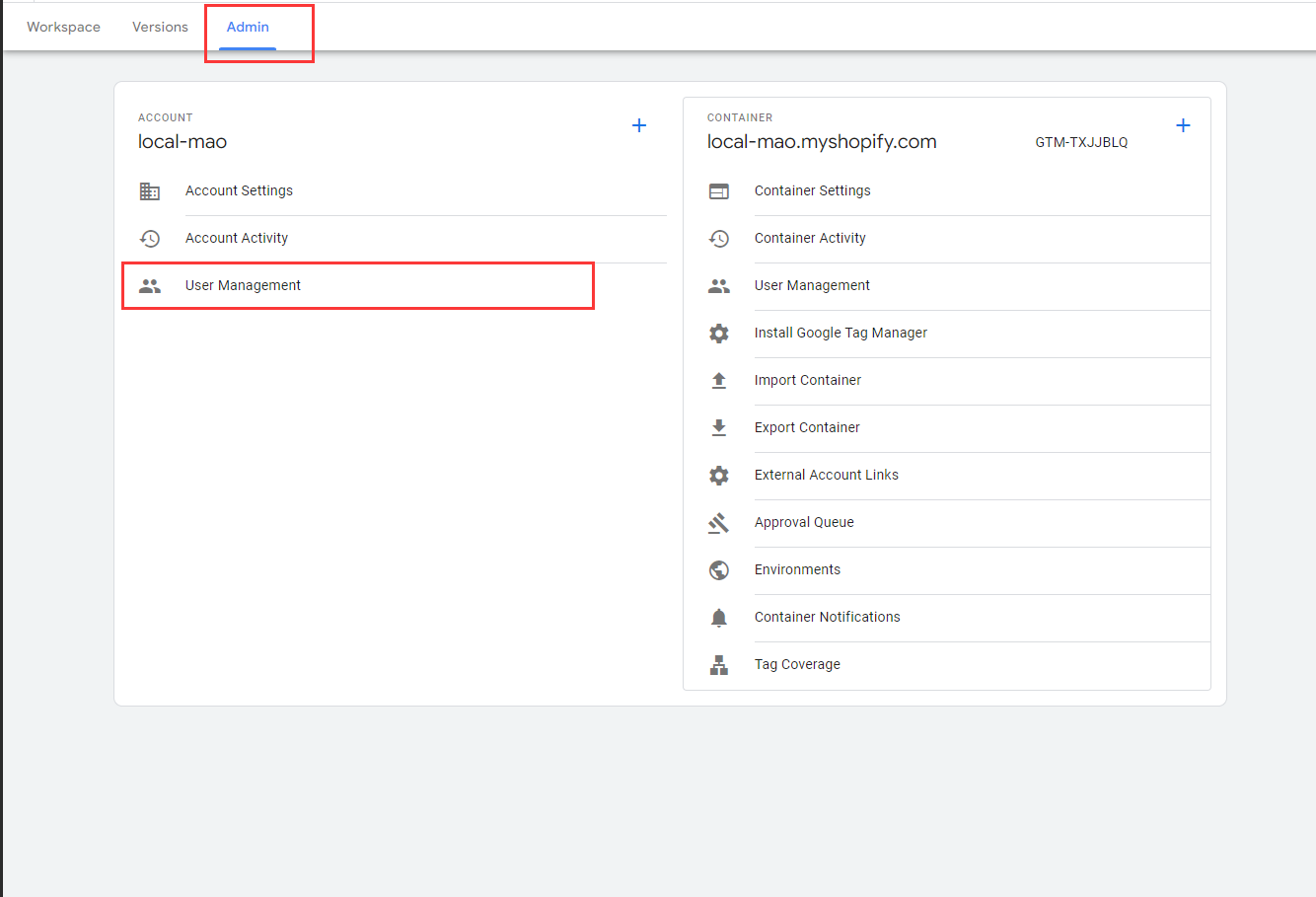
Admin, and then clickUser Management
-
Click
Add users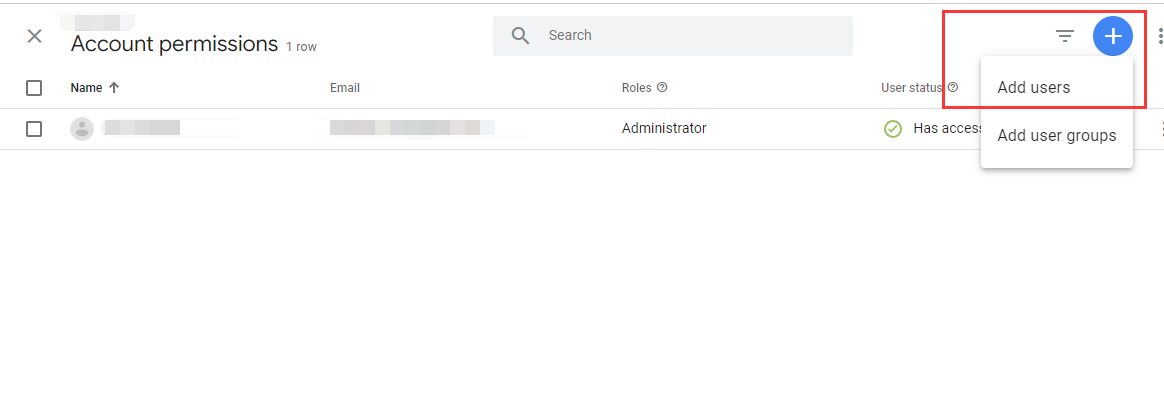
-
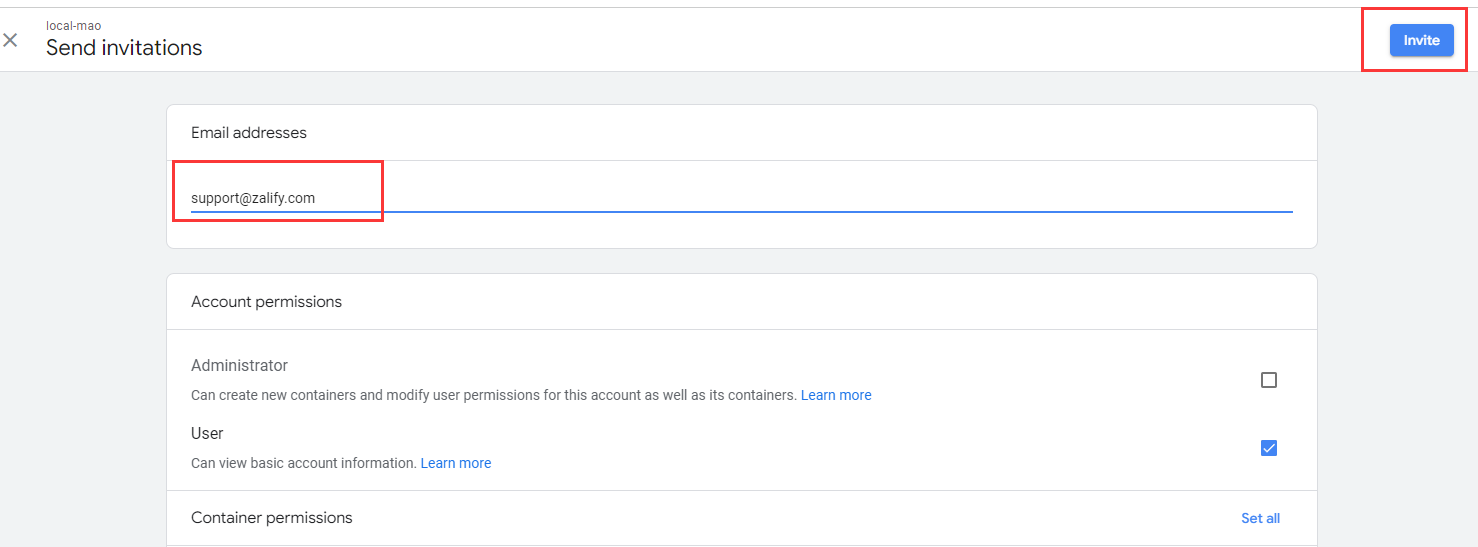
Fill in
support@zalify.comto the email field and clickInvitebutton.
- Then it's all done. 🎉