Pixels Zalify
/
1 min read
Migrate to custome pixel
Migrate to custome pixel
由于 Order status page additional scripts 即将废弃,所以我们建议您 使用 custom pixel 以确保数据不会遗漏。如果你已经启用了新的 order status page,那么你必须要使用 custom pixel,或者 revert 到旧的 order status page。
如何安装 custom pixel
- 登录到你的 Shopify 后台 Setting 页面,点击进入
Customer events
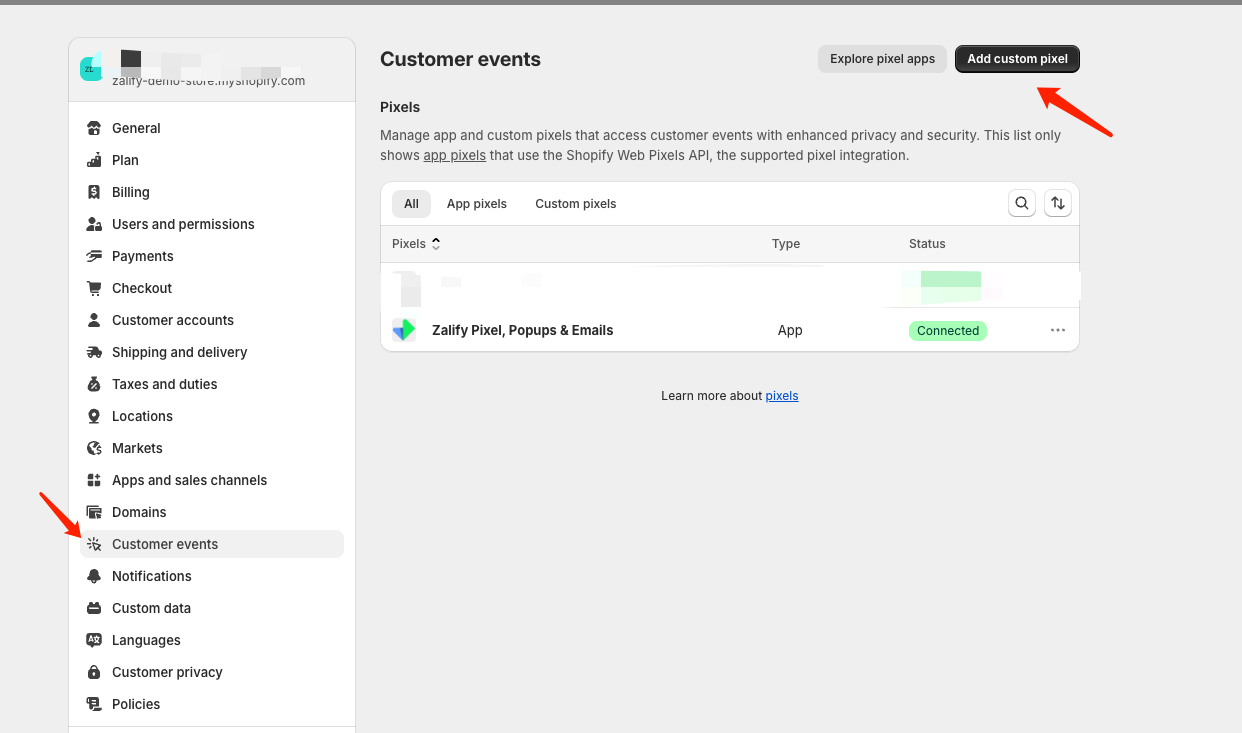
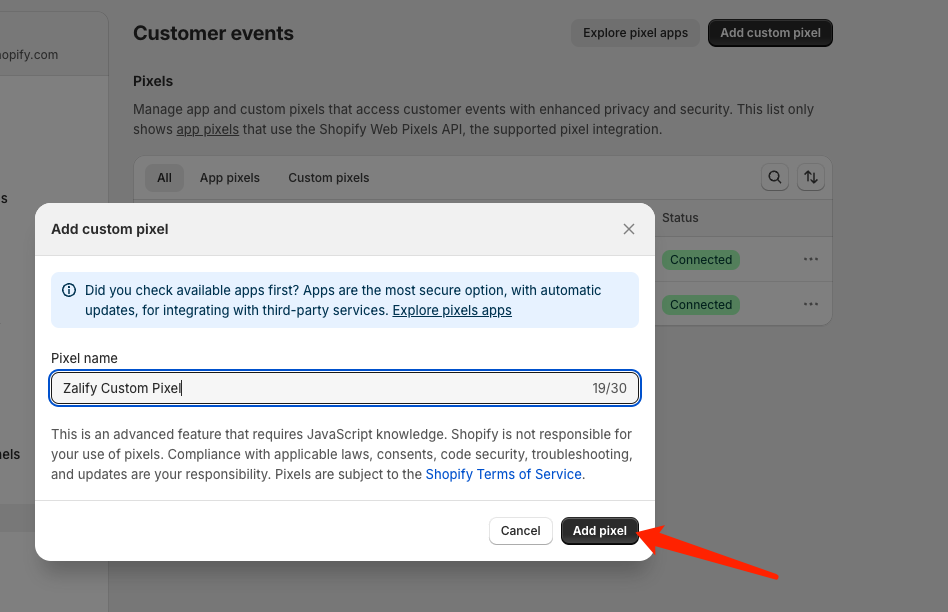
- 点击创建,填写
Zalify Custom Pixel, 点击 Add pixel
- 去到 Zalify 后台 Pixel 页面,复制 脚本代码,填写到输入框里面
UI TODO
- Customer privacy 按以下配置
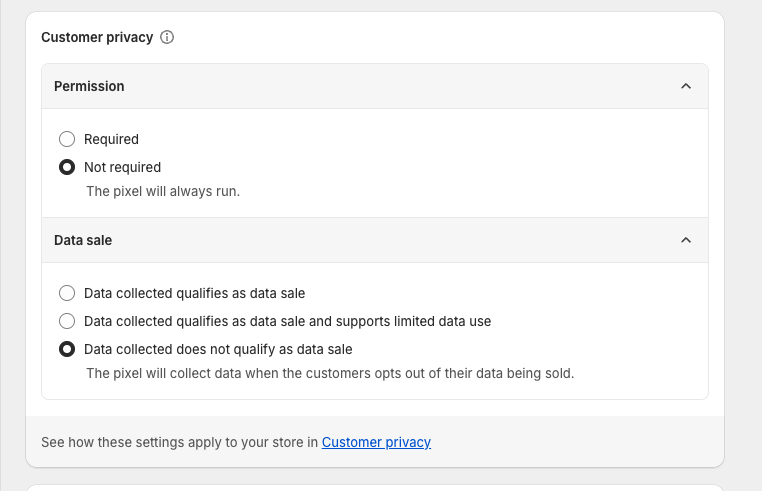
-
保存
-
connect

- connect 之后,回到 Zalify 后台 Pixel 页面,点击确认已安装 custom pixel
UI TODO